Driver (DRV)
The Driver functional area (F5) provides driving assistance displays including camera views, speedometer, and RPM gauges.
Front Camera View
The Driver display shows front-facing camera feed for enhanced situational awareness:
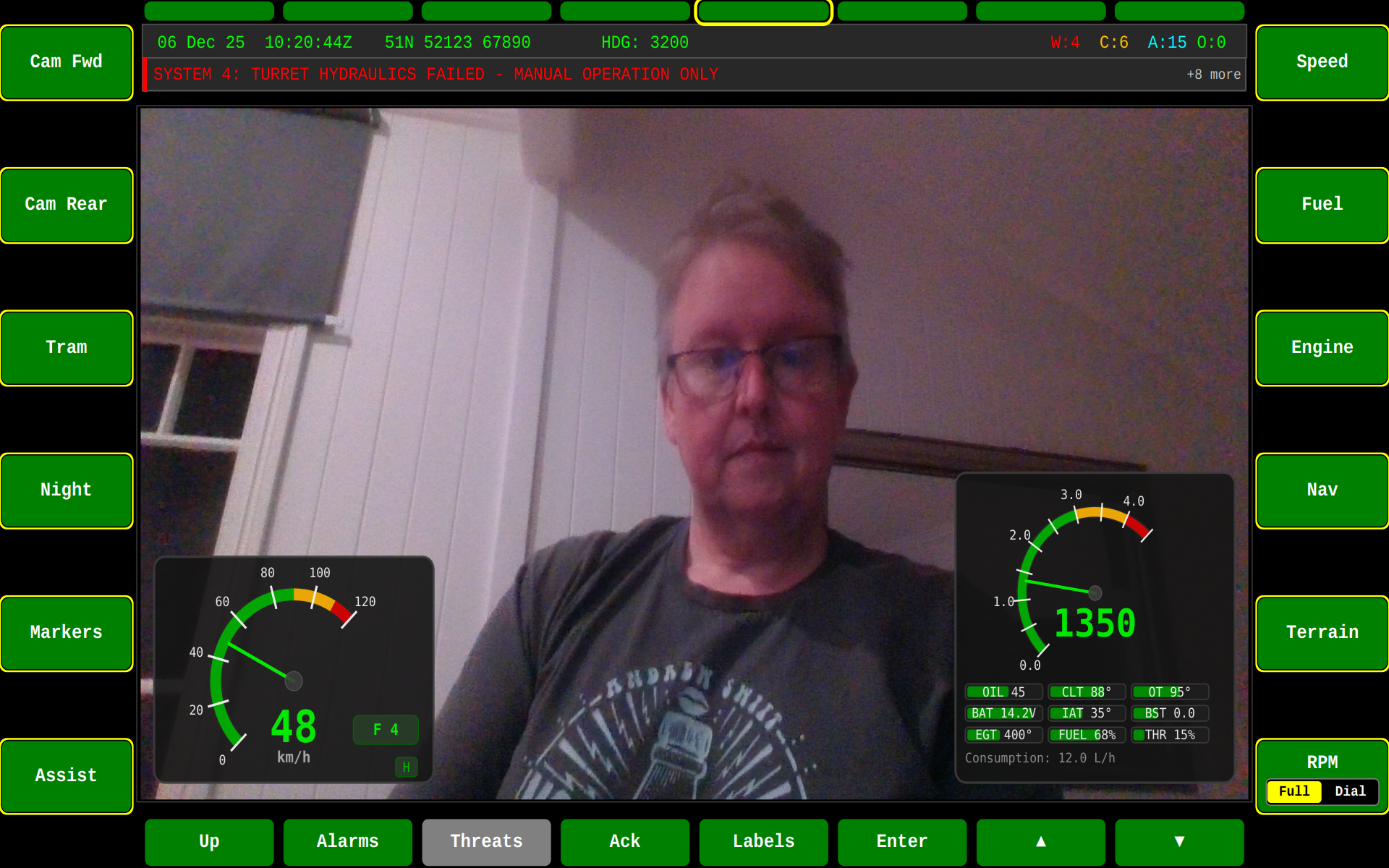
Features
The Driver display supports:
- Camera views — Front, rear, and side camera feeds
- Night vision / thermal imaging — Toggle between imaging modes
- Speed/RPM gauges — Real-time vehicle speed and engine RPM display
- Picture-in-picture — Secondary camera overlay on primary view
- Camera overlay controls — Brightness, contrast, and mode adjustments
Gauges
The DRV screen includes analog-style gauges rendered by the SpeedometerWidget and RpmWidget:
- Speedometer — Vehicle speed in km/h
- RPM gauge — Engine RPM with configurable display modes (Full/Compact)
Toggle the RPM gauge mode with F12.
DRV Controls
| Key | Action |
|---|---|
| F5 | Switch to DRV screen |
| F12 | Toggle RPM gauge mode (Full/Compact) |
State Machine
stateDiagram-v2
[*] --> CameraFeed : Enter DRV
state "DRV Screen" as DRV {
CameraFeed : Front Camera Feed
state "Driving Aids" as Aids {
AidsOff : Off
AidsOn : Tramlines + Distance Markers + Heading
AidsOff --> AidsOn : F11 On
AidsOn --> AidsOff : F11 Off
}
state "RPM Gauge" as RPM {
Full : Full Size (260x260)
Dial : Compact Dial (260x190)
Full --> Dial : F12 Dial
Dial --> Full : F12 Full
}
state "Instruments" as Inst {
Speedometer : Speed (km/h)
RPMGauge : Engine RPM
}
}
DRV --> Alarms : F14 Alarms
Alarms --> DRV : Acknowledge / Close
DRV --> Threats : F15 Threats
Threats --> DRV : Dismiss / Close
Related
- SA — Situational Awareness camera views
- Widgets Reference — Speedometer and RPM widget details