Systems (SYS)
The Systems functional area (F4) provides access to vehicle subsystem status, diagnostics, and configuration.
ASLAV System View
The Systems display shows a 3D interactive vehicle model with real-time subsystem status:
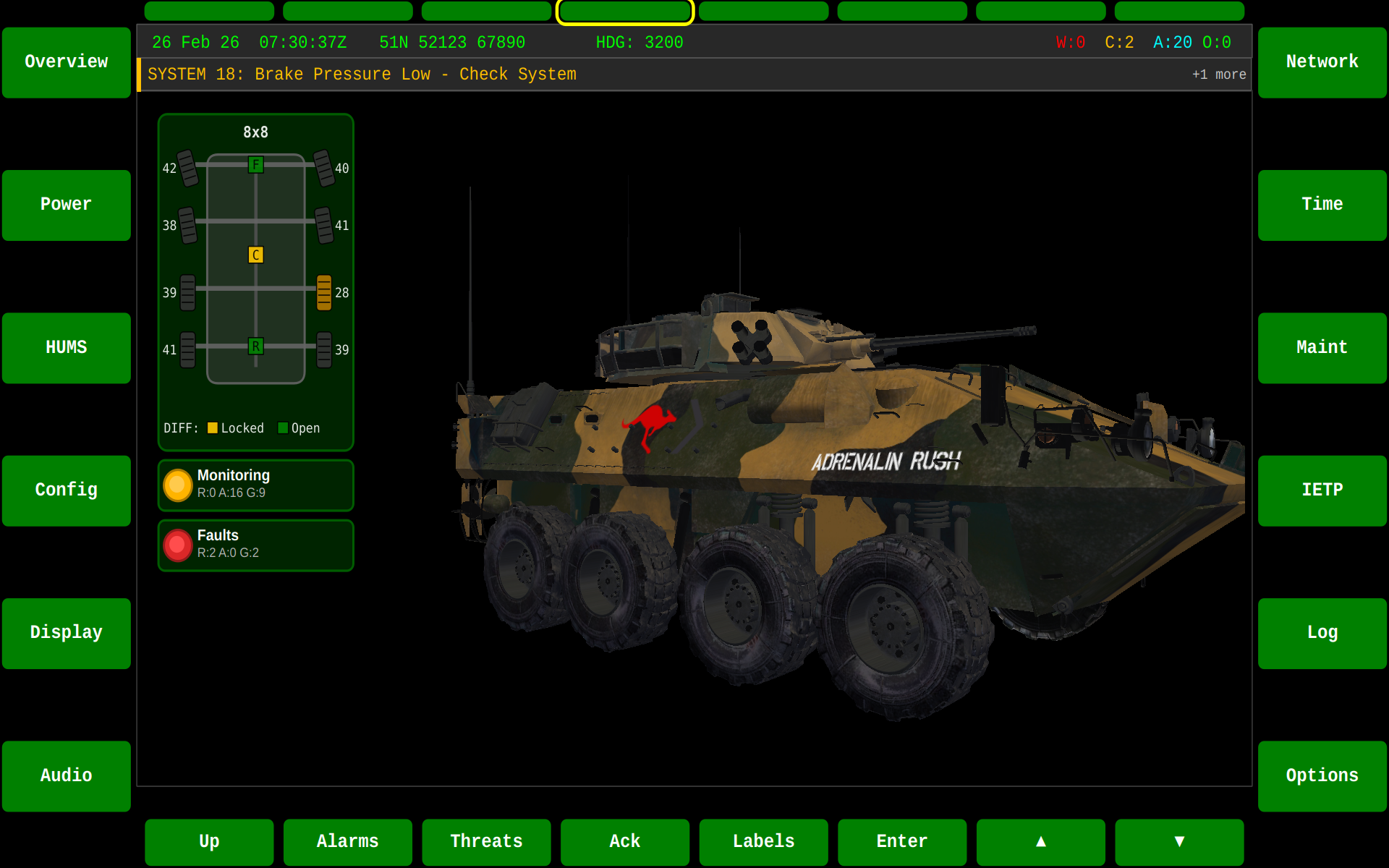
SYS Controls
| Key | Action |
|---|---|
| F4 | Switch to SYS screen |
HUMS Sub-Screen (F3)
Pressing F3 from the SYS overview enters the HUMS (Health and Usage Monitoring System) sub-screen, which reports the platform's UACM-monitored resources.
Monitored Resources view
The default view lists every UACM-monitored resource with its RAG health status, resolved name, and an issue-count badge:
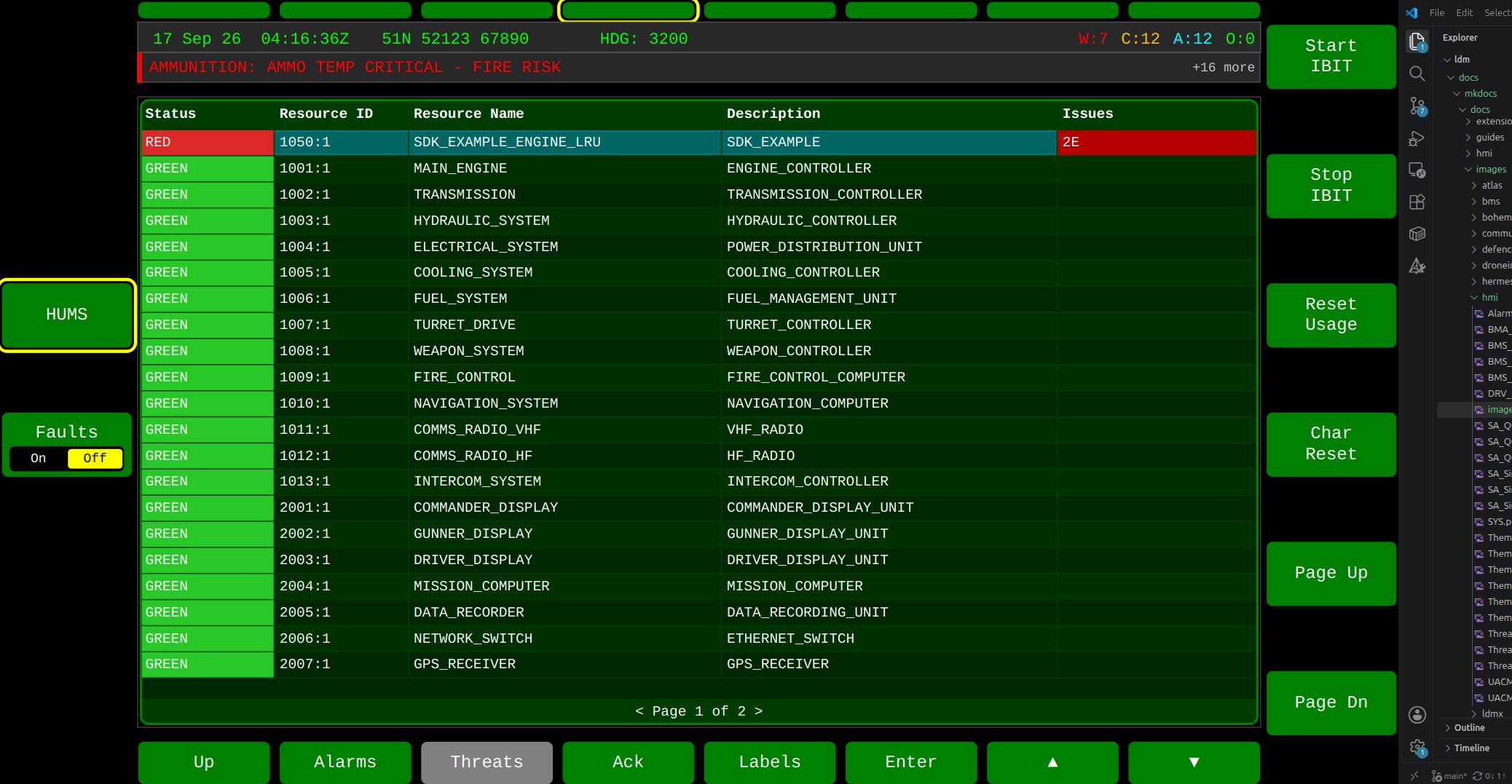
| Column | Description |
|---|---|
| Status | RAG health (Monitored_Resource.A_healthStatus), LRU-authoritative — see UACM Service — RAG rollup |
| Resource ID | resourceId:instanceId |
| Resource Name | Resolved from the resource's own Monitored_Resource_Specification/registry data instead of a raw ID |
| Description | The resource's descriptor text |
| Issues | Count of active faults + threshold exceedances for that resource (e.g. 2E = 2 exceedances) |
Rows are sorted by RAG severity band first, then by active-issue count within each band, so the resources needing attention surface at the top.
Active Issues popup (Enter)
Selecting a row and pressing Enter opens a merged detail pane showing every active fault and threshold exceedance for that resource:
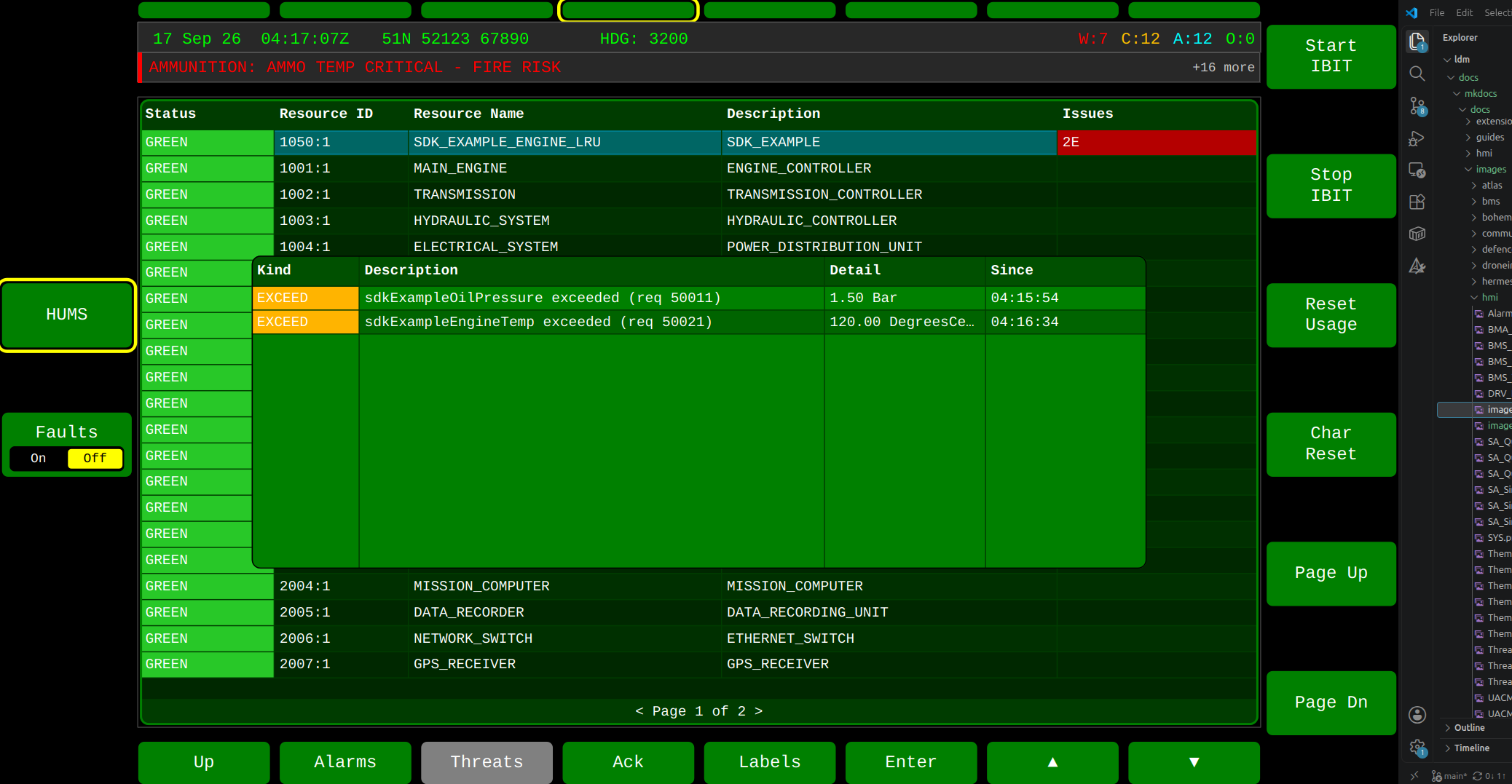
| Column | Description |
|---|---|
| Kind | EXCEED (Threshold_Exceedance_Event) or FAULT (Fault_Event) |
| Description | The monitoring requirement or fault identifier that fired |
| Detail | The measured value that triggered the exceedance, or fault detail |
| Since | Time the issue became active |
Press Enter again (or select a different row) to close/refresh the popup. It is only available from the Monitored Resources view.
Faults view (F4)
F4 toggles to a flat table of all Fault_Events across every
monitored resource:
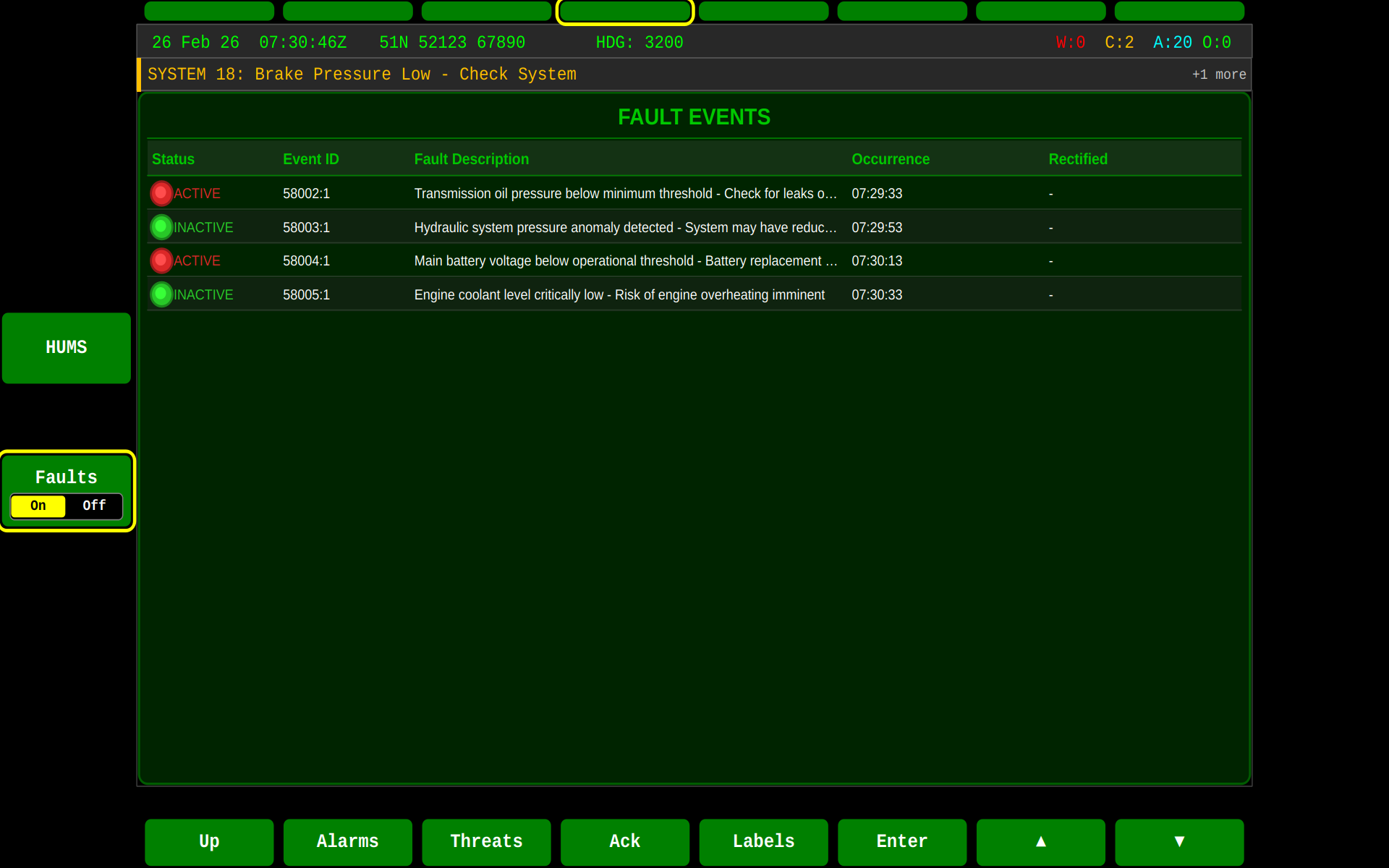
| Column | Description |
|---|---|
| Status | RAG severity of the fault |
| Event ID | resourceId:instanceId of the originating Fault_Event |
| Fault Description | Free-text fault description |
| Occurrence | Time the fault became active |
| Rectified | Time the fault cleared (blank while still active) |
HUMS Controls
| Key | Monitored Resources view | Faults view |
|---|---|---|
| F4 | Switch to Faults view | Switch back to Monitored Resources |
| F7 | Start IBIT | Clear fault |
| F8 | Stop IBIT | Comment (on-screen keyboard) |
| F9 | Reset Usage | (hidden) |
| F10 | Characteristic Reset | (hidden) |
| F11 / F12 | Page up / down | Page up / down |
| F18 (Enter) | Open/close Active Issues popup for the selected row | (no-op) |
| F19 / F20 | Move selection ▲ / ▼ | Move selection ▲ / ▼ |
| F1 / F13 | Exit HUMS, back to SYS overview | Exit HUMS, back to SYS overview |
Features
The Systems display provides:
- Subsystem health status — Visual indicators for each vehicle subsystem
- Component connectivity — Network and bus status for CAN, Ethernet, and serial devices
- Configuration parameters — Vehicle configuration and preset management
- Diagnostic information — Fault codes, maintenance status, and system logs
3D Vehicle Model
When built with HAS_OPENGL_VEHICLE, the SYS screen renders an interactive 3D model of the vehicle. The model shows:
- Colour-coded subsystem status (green = OK, amber = degraded, red = fault)
- Wheel/track sensor readings via the
WheelsWidget - Clickable components for drill-down diagnostics
State Machine
Related
- Alarms — Alarm display and acknowledgement
- UACM Service — Usage and Condition Monitoring, RAG health status